In today’s digital era, cloud computing has become the backbone of businesses, powering everything from email and storage to complex enterprise applications. But as more sensitive data moves to the cloud, cloud security has never been more critical. A single misconfiguration or weak password can expose your business to costly data breaches, cyberattacks, and compliance violations. This guide dives into practical cloud security tips that protect your data, strengthen access controls, and safeguard your cloud environment.
Whether you’re a small business owner, IT professional, or developer, these strategies will help you prevent threats, implement best practices, and maintain compliance across cloud platforms. From encryption and multi-factor authentication to regular audits and emerging security trends, you’ll learn actionable steps to ensure your cloud infrastructure remains secure, reliable, and resilient.
What Is Cloud Security and Why It Matters
Cloud security refers to the technologies, policies, and practices designed to protect data, applications, and services hosted in the cloud. Unlike traditional on-premise systems, cloud environments are accessible from anywhere, which introduces unique security challenges such as unauthorized access, data breaches, and misconfigured storage. With the rise of cloud computing across businesses of all sizes, understanding cloud security is no longer optional—it’s essential.
The importance of cloud security lies in its ability to safeguard sensitive information like customer data, financial records, and intellectual property. Without proper protections, companies face risks ranging from financial losses to reputational damage and regulatory penalties for non-compliance with standards like GDPR, HIPAA, or SOC 2.
Cloud security combines multiple layers of defense, including identity and access management (IAM), encryption, monitoring, and regular audits, to mitigate threats and ensure data integrity. By implementing robust cloud security measures, organizations can unlock the full potential of cloud computing while minimizing exposure to cyber threats. Simply put, a secure cloud is the foundation of a resilient, modern digital business.
Types of Cloud Security Threats
Understanding the types of cloud security threats is essential for building a strong defense. Cloud environments face a variety of risks that can compromise data, disrupt services, or damage your organization’s reputation.
1. External Threats
Hackers and cybercriminals are constantly targeting cloud platforms. Common attacks include phishing, ransomware, and malware infections, often aiming to steal credentials or access sensitive information. Weak passwords and poor security hygiene can make accounts easy targets.
2. Internal Threats
Not all threats come from outside. Insider threats—whether intentional or accidental—can expose sensitive data. Employees might misconfigure cloud storage, unintentionally share files, or misuse access privileges, leading to significant security incidents.
3. Data Breaches
Data breaches occur when unauthorized users gain access to confidential cloud data. Misconfigured databases, unencrypted storage, and weak access controls are common causes. These breaches can result in legal fines, financial loss, and reputational damage.
4. Compliance Risks
Organizations must adhere to regulations like GDPR, HIPAA, and PCI DSS. Failure to meet these standards due to inadequate cloud security can trigger legal penalties and loss of customer trust.
5. Service Disruptions
Cloud platforms can experience outages or Denial of Service (DoS) attacks, temporarily cutting off access to critical applications. Planning for redundancy and monitoring cloud resources helps reduce the impact of such disruptions.
By understanding these cloud security threats, businesses can take proactive steps to protect their data, implement best practices, and maintain regulatory compliance. A thorough threat assessment is the first step toward a secure cloud environment.
Top Cloud Security Tips for Businesses
Securing your cloud environment requires a combination of technology, policies, and proactive practices. Implementing these cloud security tips will help protect your data, prevent breaches, and ensure compliance.
1. Implement Strong Access Controls
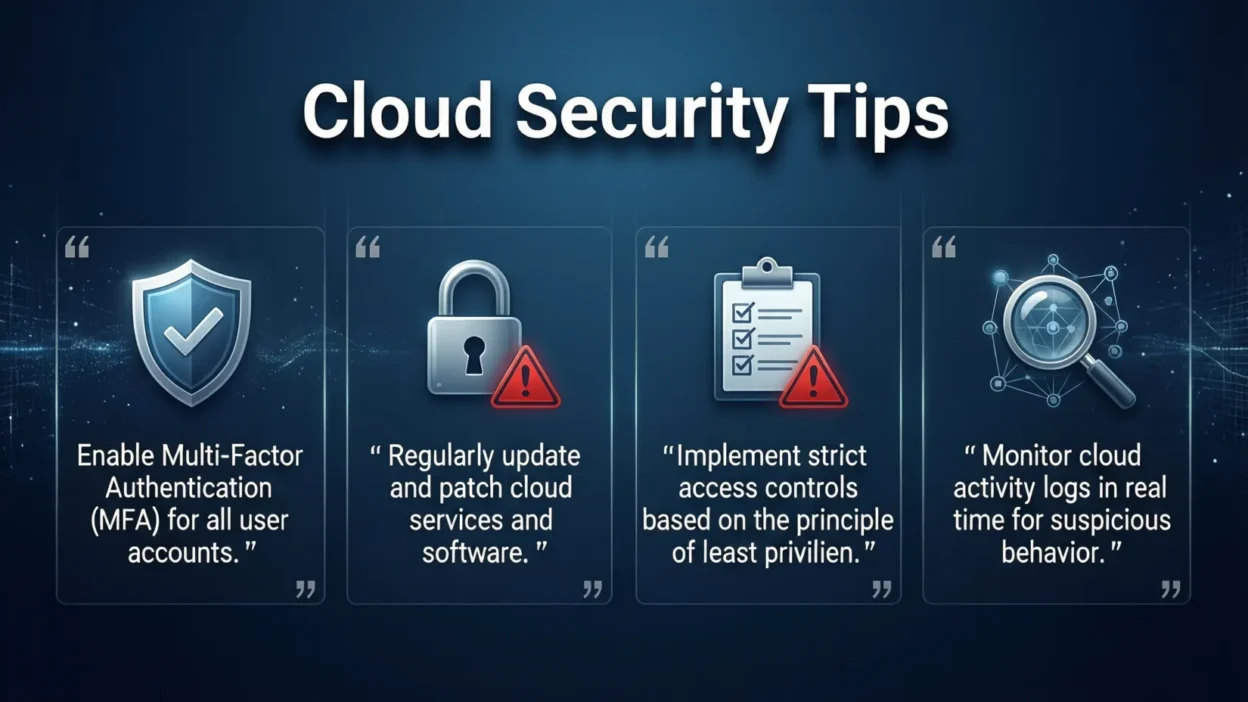
Use Role-Based Access Control (RBAC) and the principle of least privilege to limit who can access sensitive data. Ensure each employee only has permissions needed for their job.
2. Enable Multi-Factor Authentication (MFA)
Adding MFA adds an extra layer of security. Even if passwords are compromised, MFA prevents unauthorized access.
3. Encrypt Your Data
Encrypt data both in transit and at rest. This ensures that even if data is intercepted, it remains unreadable to attackers. Use strong encryption protocols like AES-256 or TLS 1.2+.
4. Regularly Update and Patch Systems
Outdated software and applications are a common entry point for cybercriminals. Maintain a patch management schedule to fix vulnerabilities promptly.
5. Backup and Disaster Recovery
Implement automated cloud backups and test your disaster recovery plan. This ensures your business can quickly recover from data loss or cyberattacks.
6. Monitor and Audit Activity
Regularly review logs and access reports to detect unusual behavior. Automated monitoring tools can alert you to potential security incidents before they escalate.
7. Educate Employees
Train staff on cloud security best practices, phishing awareness, and proper data handling. A well-informed team is your first line of defense.
By following these tips, businesses can build a resilient cloud environment, reduce vulnerabilities, and maintain trust with customers and partners. Strong cloud security is an ongoing process, not a one-time setup.
Securing Cloud Accounts
Your cloud accounts are the gateway to your sensitive data, making account security a top priority. Compromised credentials are one of the leading causes of cloud breaches, so businesses must implement robust safeguards.
1. Use Strong, Unique Passwords
Avoid simple or reused passwords across accounts. Use password managers to generate and store complex credentials securely.
2. Enable Multi-Factor Authentication (MFA)
MFA adds an extra verification step, such as a text code, app notification, or hardware token. Even if a password is stolen, unauthorized access is much harder.
3. Apply the Principle of Least Privilege
Limit access to cloud resources based on job roles. Not every employee needs full administrative rights—reducing privileges minimizes the impact of a compromised account.
4. Regularly Review Account Activity
Monitor login attempts, unusual IP addresses, and failed access attempts. Audit logs can reveal suspicious behavior early, allowing quick intervention.
5. Implement Single Sign-On (SSO) Where Possible
SSO simplifies authentication while maintaining security. With SSO, employees access multiple services securely without managing multiple passwords.
6. Educate Users About Phishing
Employees should recognize phishing emails and malicious links. Even with strong credentials, social engineering attacks can bypass technical safeguards.
By securing cloud accounts, businesses can prevent unauthorized access, protect sensitive data, and strengthen overall cloud security. Proper account management is the foundation for a safe and resilient cloud environment.
Data Protection and Encryption Strategies
Protecting data in the cloud is critical to prevent breaches, ensure privacy, and maintain compliance. Effective data protection strategies combine encryption, backups, and strict access controls.
1. Encrypt Data In Transit and At Rest
Encryption transforms readable data into an unreadable format. Use TLS/SSL protocols for data in transit and AES-256 encryption for stored data. This ensures that even if attackers access your cloud, sensitive information remains protected and unreadable.
2. End-to-End Encryption
For highly sensitive data, implement end-to-end encryption (E2EE). With E2EE, only authorized recipients can decrypt data, giving maximum control over access.
3. Regular Backups
Maintain automated cloud backups to prevent data loss from cyberattacks, accidental deletion, or system failures. Consider hybrid backup strategies, storing copies both in the cloud and on-premises for added redundancy.
4. Data Retention Policies
Establish clear data retention and deletion policies. Regularly remove outdated or unnecessary data to reduce exposure risk and comply with regulations like GDPR and HIPAA.
5. Tokenization and Masking
For additional security, use tokenization to replace sensitive data with non-sensitive tokens and data masking to obscure personal information in testing environments.
6. Cloud-Native Security Features
Leverage your cloud provider’s built-in security tools, such as encrypted storage options, key management services, and automated compliance checks, to simplify protection measures.
Implementing these data protection and encryption strategies ensures your cloud data remains secure, compliant, and resilient against both internal and external threats.
Cloud Security Compliance and Regulations
Compliance is a critical aspect of cloud security, ensuring that businesses meet legal and industry standards while protecting sensitive data. Non-compliance can result in hefty fines, reputational damage, and legal liability.
1. Key Cloud Security Regulations
- GDPR (General Data Protection Regulation): Protects EU residents’ personal data and emphasizes consent, access rights, and breach notification.
- HIPAA (Health Insurance Portability and Accountability Act): Governs the protection of healthcare-related information in the cloud.
- PCI DSS (Payment Card Industry Data Security Standard): Ensures secure handling of credit card data.
- SOC 2 / ISO 27001: Provide frameworks for evaluating and certifying cloud security controls.
2. Implementing Compliance in the Cloud
- Maintain auditable logs for all cloud activity.
- Encrypt sensitive data and control access based on least privilege principles.
- Conduct regular security audits and assessments to verify compliance.
- Ensure that cloud providers also comply with relevant standards (shared responsibility model).
3. Documentation and Policies
- Develop and enforce a cloud security policy outlining security responsibilities, acceptable usage, and incident response plans.
- Document procedures for data retention, breach reporting, and third-party access.
4. Continuous Compliance Monitoring
Use cloud-native tools or third-party solutions to monitor compliance in real-time, automatically flagging potential violations or misconfigurations.
By integrating compliance and regulatory requirements into your cloud security strategy, organizations can reduce risks, build customer trust, and avoid costly penalties, all while maintaining a robust security posture.
Cloud Security Tools and Solutions
Using the right cloud security tools and solutions is essential to protect your data, detect threats, and maintain compliance. Businesses can combine cloud-native tools, third-party solutions, and monitoring platforms to create a layered defense strategy.
1. Cloud Access Security Brokers (CASBs)
CASBs act as intermediaries between users and cloud services, providing visibility, policy enforcement, and threat detection across multiple cloud applications. They help prevent data leaks and unauthorized access.
2. Security Information and Event Management (SIEM)
SIEM platforms collect and analyze logs from cloud systems in real-time. They enable early detection of suspicious activity, automated alerts, and detailed reporting, improving incident response capabilities.
3. Cloud-Native Monitoring Tools
Major cloud providers offer built-in security features:
- AWS Security Hub & GuardDuty – Continuous threat detection and compliance checks.
- Azure Security Center – Risk assessment, policy enforcement, and threat monitoring.
- Google Cloud Security Command Center – Centralized visibility and protection against vulnerabilities.
4. Endpoint Security and Identity Management
Protect devices and ensure secure authentication using Identity and Access Management (IAM), MFA, and device-level protection.
5. Automated Threat Response Tools
Use AI-driven security solutions to detect anomalies, automate alerts, and respond to potential attacks quickly, reducing the impact of breaches.
By leveraging these cloud security tools and solutions, businesses can create a proactive security posture, continuously monitor for risks, and respond effectively to emerging threats. Integrating technology with best practices and employee awareness ensures a comprehensive approach to cloud protection.
Employee Training and Awareness
Even the most advanced cloud security tools cannot fully protect an organization if employees are unaware of best practices. Human error is a leading cause of cloud security breaches, making training and awareness programs essential.
1. Conduct Regular Security Training
Teach employees about phishing attacks, password hygiene, and safe cloud usage. Frequent, interactive training helps staff recognize threats before they become incidents.
2. Promote Strong Password Practices
Encourage the use of unique, complex passwords and password managers. Employees should understand the dangers of reusing passwords across multiple cloud accounts.
3. Phishing and Social Engineering Awareness
Employees should be able to identify suspicious emails, links, and attachments. Simulated phishing tests can reinforce awareness and improve response times.
4. Access and Data Handling Policies
Educate staff on least privilege principles, data classification, and secure file sharing. Make sure they understand the importance of following internal policies.
5. Foster a Security-First Culture
Encourage employees to report suspicious activity immediately. Reward proactive behavior and integrate security into daily workflows to make it a natural part of the organization’s culture.
By investing in employee training and awareness, businesses can reduce risks from internal threats, improve compliance, and create a human firewall that complements technical security measures. A well-informed team is often the first and strongest line of defense in cloud security.
Regular Audits, Testing, and Vulnerability Assessment
Maintaining strong cloud security requires more than setup—it demands continuous evaluation and improvement. Regular audits, testing, and vulnerability assessments help businesses identify weaknesses, prevent breaches, and ensure compliance.
1. Conduct Security Audits
Periodic security audits review your cloud environment, configurations, and access controls. Audits help identify misconfigurations, outdated policies, or non-compliant practices before they become major risks.
2. Perform Penetration Testing
Penetration tests simulate real-world attacks to uncover vulnerabilities. By testing your cloud applications and infrastructure, you can proactively fix weaknesses before malicious actors exploit them.
3. Vulnerability Scanning
Automated vulnerability scanners detect known security flaws in cloud systems and applications. Regular scans should cover operating systems, cloud apps, APIs, and third-party integrations.
4. Monitor Compliance Continuously
Ensure your cloud environment adheres to regulatory standards like GDPR, HIPAA, or SOC 2. Continuous monitoring tools can alert you to policy violations or misconfigurations in real-time.
5. Document Findings and Remediate
Maintain clear audit reports and implement remediation plans for identified issues. Tracking progress ensures vulnerabilities are addressed and reduces repeat errors.
By integrating audits, testing, and vulnerability assessments into your security strategy, organizations can stay ahead of threats, maintain compliance, and build a resilient cloud infrastructure. Continuous evaluation is the cornerstone of proactive cloud security.
Final Thoughts: Strengthen Your Cloud Security Today
Cloud computing offers incredible flexibility, scalability, and efficiency—but it also introduces new security challenges. From external cyberattacks to insider threats, data breaches, and regulatory risks, the cloud landscape demands proactive protection.
By implementing strong access controls, multi-factor authentication, encryption, regular audits, and employee training, businesses can drastically reduce the likelihood of security incidents. Leveraging cloud-native tools, CASBs, SIEM platforms, and AI-driven monitoring adds an extra layer of defense, ensuring that your data, applications, and services remain secure.
Remember, cloud security isn’t a one-time setup—it’s a continuous process. Regular vulnerability assessments, compliance checks, and updated policies will help your organization stay ahead of evolving threats.
Whether you’re a small business or a large enterprise, following these cloud security tips ensures that your organization can harness the benefits of the cloud confidently and safely. Take action today—secure your cloud accounts, protect your data, and build a resilient, future-ready cloud environment.